Table of Contents
Nothing drains your creative momentum faster than peeling back your latest project only to discover the cuts didn’t register properly. That sickening feeling of watching expensive vinyl, intricate cardstock, or specialized film go straight into the waste bin because of misaligned designs isn’t just frustrating—it’s financially devastating over time. Whether you’re running a signage business, producing custom apparel, or crafting detailed prototypes, alignment errors can turn profitable jobs into losses and transform excited clients into disappointed ones.
The good news? Today’s plotter cutting machines have evolved far beyond their predecessors, incorporating sophisticated technologies that virtually eliminate the guesswork and inconsistency that plagued earlier generations. Understanding what separates a reliable, precision-cutting workhorse from a finicky machine that’ll have you pulling your hair out is crucial before making your investment. Let’s explore the essential features, capabilities, and best practices that will transform your workflow from frustrating to flawless.
Top 10 Plotter Cutting Machines For Alignment
Detailed Product Reviews
1. VEVOR Vinyl Cutter 53 Inch Vinyl Cutter Machine Semi-Automatic DIY Vinyl Printer Cutter Machine Manual Positioning Sign Cutting with Floor Stand Signmaster Software

Overview: The VEVOR 53-inch vinyl cutter is a wide-format workhorse designed for serious sign makers and small commercial operations. This semi-automatic machine handles massive 1350mm paper feed with 1260mm cutting width, making it ideal for large banners, vehicle wraps, and storefront signage. The floor stand and robust construction suggest professional-grade ambitions, while manual positioning keeps costs manageable for budget-conscious buyers entering the commercial space.
What Makes It Stand Out: Its sheer cutting capacity dominates this category—few competitors offer this width at this price point. The ARM motherboard with 4MB cache ensures smooth operation during complex cuts, while double spring pinch-rollers maintain precision across 3-meter feed lengths. The triple interface support (COMPIM, USB, U-Disk) provides flexibility for various workflows, and compatibility with DM/PL and HP/GL languages broadens software options beyond the included Signmaster.
Value for Money: For wide-format capabilities under $1,000, this cutter delivers exceptional value. Commercial alternatives often cost 3-5x more. The semi-automatic operation requires more user skill but eliminates expensive automation features most small shops don’t need. You’re paying for size and stability, not unnecessary frills, making it a smart investment for growing businesses.
Strengths and Weaknesses: Pros include massive cutting width, excellent feed stability, high precision (±0.01mm), and versatile connectivity. Cons involve manual positioning demands, steeper learning curve, no Mac compatibility, and Signmaster software’s limited advanced features. The semi-automatic nature means slower production compared to fully automatic models.
Bottom Line: Perfect for sign shops needing large-format capability without enterprise pricing. If you can master manual positioning and work within Windows, this cutter offers commercial-scale output that pays for itself quickly.
2. VEVOR Vinyl Cutter Machine, Upgraded 28 Inch Paper Feed Cutting Plotter Bundle, Adjustable Force & Speed Vinyl Printer with Powerful Stepper Motors, Signmaster Software Compatible with Windows System

Overview: This upgraded 28-inch VEVOR cutter targets serious hobbyists and emerging small businesses with a comprehensive bundle approach. The 720mm maximum feed and 630mm cutting width handle most signage, decal, and heat transfer projects comfortably. The thickened aluminum body and powerful stepper motors signal durability improvements over entry-level models, while the included vinyl rolls and accessories provide immediate out-of-box productivity.
What Makes It Stand Out: The accessory package sets this apart—five 23x39-inch vinyl rolls in essential colors, multiple blades, holders, and a utility knife create instant value. The upgraded motor system delivers consistent torque for intricate cuts in thicker materials. The LCD panel offers intuitive pressure (10-500g) and speed (10-800mm/s) adjustments, while the ±0.01mm accuracy matches professional standards. Software compatibility spans Windows XP through 11, ensuring long-term usability.
Value for Money: At roughly $300-400, this bundle eliminates $100+ in initial supply costs. Comparable standalone cutters lack the accessory depth, making this an economical launchpad. While not industrial-grade, it outperforms hobby cutters like Cricut Maker in size and speed, positioning it as a middle-ground champion for cost-conscious creators.
Strengths and Weaknesses: Strengths include generous accessories, robust stepper motors, wide Windows compatibility, and precise cutting. Weaknesses involve no Mac support, smaller width limiting commercial banner work, and Signmaster’s basic design tools requiring supplemental software for complex projects. The 28-inch size may feel restrictive as businesses scale.
Bottom Line: An exceptional starter kit for committed beginners or side-hustle entrepreneurs. The included supplies and reliable performance make it the smartest entry point into professional vinyl cutting without immediate additional investment.
3. VEVOR Vinyl Cutter 34Inch Bundle, Vinyl Cutter Machine Manual Vinyl Printer LCD Display Plotter Cutter Sign Cutting with Signmaster Software for Design and Cut,with Supplies, Tools

Overview: The VEVOR 34-inch manual cutter occupies the sweet spot between hobbyist machines and commercial behemoths, offering 870mm feed width and 780mm cutting area. This bundle includes essential supplies and tools, targeting small business owners and advanced DIYers who need more capacity than 24-inch models provide but lack space or budget for 50-inch-plus machines. The manual operation demands user skill but rewards with precise, repeatable results.
What Makes It Stand Out: The D-typed motherboard with 4MB cache memory ensures reliable performance during extended cutting sessions. Double spring pinch-rollers paired with roughened steel rollers maintain exceptional tracking over 3-meter material lengths—a critical feature for production runs. The package includes practical accessories that offset immediate supply costs, while 20-500g pressure and 20-800mm/s speed ranges handle everything from delicate window film to thick reflective vinyl.
Value for Money: Priced competitively in the $400-500 range, this model offers 20% more cutting width than 28-inch alternatives for only modest cost increase. The included tools and starter vinyl add $75-100 in value. Compared to premium brands like Roland’s 30-inch models costing 4x more, it delivers professional-grade precision for small-shop budgets, making it a financially sound mid-tier choice.
Strengths and Weaknesses: Pros include versatile cutting width, excellent long-feed stability, comprehensive accessory bundle, and high precision. Cons feature manual operation complexity, no Mac support, Signmaster software limitations, and a learning curve for registration mark alignment. The LCD interface, while functional, feels dated compared to touchscreen competitors.
Bottom Line: Ideal for growing sign businesses or ambitious hobbyists needing reliable mid-format cutting. If you prioritize width over automation, this bundle provides professional capabilities without premium pricing.
4. VEVOR Vinyl Cutter Machine, 34 in / 870 mm Max Paper Feed Cutting Plotter, Automatic Camera Contour Cutting LCD Screen Printer with Stand Adjustable Force and Speed for Sign Making Plotter Cutter

Overview: This 34-inch VEVOR cutter introduces automatic camera contour cutting to the mid-range market, targeting professional sign makers who require print-and-cut capabilities. The integrated optical camera reads registration marks on pre-printed graphics, enabling precise contour cutting without manual alignment. With 870mm feed width, 800mm/s speed, and 500g force, it handles commercial workloads while the included floor stand provides workshop-ready stability.
What Makes It Stand Out: The auto-camera system is the star feature—typically found on machines costing thousands more. This optical eye automatically detects registration marks, eliminating human error and dramatically speeding up production of printed decals, stickers, and heat transfers. The illuminated LCD screen and large control panel simplify operation, while dual double-spring pinch rollers with aluminum knurling ensure media stays true over long runs. Support for multiple languages (DM/PL, HP/GL) and software compatibility extends beyond Signmaster to Artcut, Flexi, and CorelDRAW.
Value for Money: At approximately $600-700, this represents exceptional value for print-cut capability. Competing systems from Graphtec or Roland start around $2,000. While build quality may not match those brands, the camera functionality delivers 90% of the performance at 30% of the cost, making it accessible for small print shops expanding into contour cutting.
Strengths and Weaknesses: Major strengths include auto-contour cutting, professional stand, high speed/force, and broad software compatibility. Weaknesses involve Windows-only operation, occasional camera calibration needs, and less robust construction than industrial alternatives. Beginners may find contour setup initially complex, and the camera struggles with low-contrast marks.
Bottom Line: A game-changer for small print shops offering custom decals and stickers. If contour cutting is your priority, this delivers professional functionality at an unmatched price point.
5. VEVOR Vinyl Cutter, 28inch Vinyl Cutter Plotter with Stand, Adjustable Speed Force for Sign Making Vinyl Plotter, SignMaster Software Vinyl Tape Tools Vinyl Printer Available with COM/USB/Bluetooth

Overview: This modernized 28-inch VEVOR cutter distinguishes itself with Bluetooth connectivity and Android app control, appealing to tech-forward makers and mobile-focused workflows. The steel-made shaft maintains accuracy over 10-meter feed lengths—far exceeding typical aluminum shafts—while the included floor stand with caster wheels provides unprecedented mobility. With 720mm feed width and 630mm cutting area, it serves small businesses, schools, and advanced hobbyists prioritizing convenience and flexibility.
What Makes It Stand Out: Industry-leading Bluetooth functionality transforms workshop dynamics, allowing untethered operation from Android devices within range. This wireless freedom, combined with traditional USB/COM connections, creates the most flexible connectivity in its class. The steel shaft’s 400-inch accuracy retention enables continuous roll cutting without deviation. The all-in-one accessory package includes five vinyl rolls, multiple blades, and safety fuses, while the high-quality aluminum stand with wheels repositions easily for space optimization.
Value for Money: Priced around $350-450, the Bluetooth feature adds legitimate value without premium pricing. The steel shaft alone justifies cost over standard models, promising longer service life and consistent accuracy. While Android-only control limits some users, it provides modern convenience competitors lack, positioning it as forward-thinking yet affordable.
Strengths and Weaknesses: Strengths include Bluetooth/Android app, superior steel shaft stability, mobile stand design, comprehensive accessories, and triple connectivity options. Weaknesses involve iOS/Mac incompatibility, Android app reliability concerns, and 28-inch width restrictions for large banners. The mobile app lacks advanced design features, requiring computer software for complex work.
Bottom Line: Best choice for Android users wanting wireless convenience and mobility. If you value cutting-edge connectivity and workshop flexibility over maximum width, this innovative package delivers modern features at a compelling price.
6. VEVOR 34inches Vinyl Cutter Machine, Bluetooth Cutting Plotter Machine, 400in/10m Accuracy Steel Roller Shaft Adjustable Speed Force, SignMaster Tool Kit for Sign Making Windows & Mobile

Overview: The VEVOR 34-inch Vinyl Cutter positions itself as a feature-rich cutting plotter targeting both hobbyists and small business owners. With its Bluetooth connectivity for Android devices and comprehensive accessory bundle, it promises convenience and value in a competitive market segment.
What Makes It Stand Out: Bluetooth control via mobile devices represents a genuine innovation in this price class, freeing users from constant computer tethering. The steel roller shaft delivering 400-inch tracking accuracy addresses a common pain point—drift during long cuts. The all-in-one bundle is particularly generous, including five vinyl rolls and three blades, eliminating immediate supply runs.
Value for Money: For a 34-inch cutter with stand and extensive accessories, this package undercuts premium brands significantly. While professional shops might invest $1000+ for similar capabilities, this VEVOR model delivers core functionality at a fraction. The included materials alone justify $50-75, making the machine itself remarkably affordable for entry-level sign making.
Strengths and Weaknesses: Strengths include mobile Bluetooth operation, precision steel shaft, comprehensive accessory kit, and sturdy wheeled stand. Weaknesses involve Windows-only compatibility (no Mac support), potentially less robust software than industry standards, and VEVOR’s variable customer service reputation. The stepper motor (versus servo) may struggle with ultra-intricate designs compared to professional units.
Bottom Line: Ideal for ambitious hobbyists and side-hustle entrepreneurs needing large-format capability without breaking the bank. Accept some compromises in software polish and long-term durability, but the Bluetooth convenience and generous bundle make it a compelling starter package. Don’t expect Roland-level precision, but it’s more than adequate for banners, decals, and heat transfers.
7. VEVOR Vinyl Cutter 28 Inch Vinyl Cutter Machine with 20 Blades Maximum Paper Feed 720mm Vinyl Plotter Cutter Machine with Sturdy Floor Stand Adjustable Force and Speed for Sign Making

Overview: The VEVOR 28-Inch Vinyl Cutter targets budget-conscious creators seeking professional features in a mid-size format. With its D-type motherboard and generous blade supply, it addresses reliability concerns common in entry-level plotters while maintaining accessible pricing for small shops and serious hobbyists.
What Makes It Stand Out: Including 20 replacement blades is virtually unheard of in this category, providing years of operational readiness. The D-type motherboard and 2MB cache memory offer processing stability that rivals pricier competitors, reducing communication errors during complex cuts. The 118-inch feed precision specification demonstrates confidence in its tracking mechanics.
Value for Money: This machine sits in the sweet spot for price-per-performance. While lacking the Bluetooth gimmicks of its 34-inch sibling, it focuses budget on core components: robust motherboard, ample blades, and reliable mechanics. Comparable Roland or Graphtec 24-inch cutters cost 3-5x more, making this an exceptional value for production-focused users who prioritize function over frills.
Strengths and Weaknesses: Strengths include abundant blade supply, stable D-type motherboard, precise long-feed tracking, and professional control language compatibility (HP/GL, DM/PL). Weaknesses are Windows-only support, no included software mentioned, basic stepper motor limitations, and VEVOR’s inconsistent technical documentation. The aluminum knurling stick may wear faster than steel alternatives.
Bottom Line: A workhorse for small sign shops and dedicated hobbyists who value operational readiness over cutting-edge connectivity. The 20-blade kit eliminates a year of consumable costs. If you’re comfortable sourcing your own software and working within Windows, this offers reliable, no-nonsense performance that earns its keep through sheer practicality and low operating costs.
8. USCutter 34-inch Vinyl Cutter Plotter with Stand and VinylMaster Cut Software, Free US-Based Technical & Lifetime Phone Support

Overview: USCutter’s 34-inch model dominates the entry-level market for good reason—it bundles proven hardware with unparalleled domestic support. As the best-selling cutter for a decade, it represents a safe bet for newcomers intimidated by import brands’ support limitations, offering a complete ecosystem for launching a signage business.
What Makes It Stand Out: Lifetime US-based phone support is the killer feature here, transforming frustrating troubleshooting into manageable learning experiences. The included VinylMaster Cut software isn’t just basic drivers—it’s a full vectorization and design suite rivaling $200+ standalone programs. The ball-bearing roller system provides feed reliability that stepper-motor competitors often lack.
Value for Money: While pricier than bare-bones imports, the value proposition becomes clear when you factor in $200 software and priceless technical support. For small business owners, one prevented downtime incident pays the difference. You’re not just buying a cutter—you’re buying insurance against the learning curve that derails most startups. The ecosystem approach saves hundreds in hidden costs.
Strengths and Weaknesses: Strengths include legendary US support, professional VinylMaster software, reliable ball-bearing feed system, and established community/resources. Weaknesses involve stepper motor limitations for ultra-detailed work, occasional QC inconsistencies given high volume, and less impressive build quality versus premium brands. The machine itself is solid but not exceptional—it’s the wrapper that sells it.
Bottom Line: The smartest choice for American small business owners and technophobic users. If you value your time and sanity over saving $100-200, USCutter’s support ecosystem justifies every penny. Perfect for production work where reliability trumps absolute precision. For intricate artistic work, consider a servo-motor upgrade, but for signs, banners, and decals, this is the pragmatic market leader that won’t leave you stranded.
9. VEVOR Cutting Machine, Automatic Edge Detection Vinyl Cutter Machine with Two Types of Blades, Design Software and Materials, Compatible with Multiple File Formats, for Creating Customized DIY Crafts

Overview: VEVOR’s craft-focused cutter diverges from industrial aesthetics, targeting the Cricut/Silhouette crowd with a white metal design and touchscreen interface. Automatic edge detection and broad file compatibility signal ambition to bridge hobbyist ease-of-use with professional capabilities, appealing to serious DIYers ready to scale beyond consumer machines.
What Makes It Stand Out: Automatic edge detection is a premium feature rarely seen in sub-$300 cutters, enabling print-and-cut applications without manual registration. The modern touchscreen interface eliminates cryptic button sequences, while offline operation frees users from computer dependency. Supporting professional file formats (AI, SVG, EPS) directly is a significant advantage over proprietary craft machines.
Value for Money: Positioned between Cricut Maker ($400+) and professional plotters, this offers superior material width (28") and file compatibility at a competitive price. The included software and material bundle add immediate value, though quality may vary. For crafters selling products, the edge detection alone justifies upgrading from consumer devices, enabling professional stickers and decals without a $1000+ investment.
Strengths and Weaknesses: Strengths include edge detection, modern touchscreen UI, broad file format support, generous material compatibility, and included starter kit. Weaknesses involve VEVOR software polish, questionable long-term durability of white finish, limited community compared to Cricut, and potentially confusing positioning between craft and professional markets. Speed range is lower than industrial models.
Bottom Line: Perfect for Etsy sellers and ambitious hobbyists outgrowing Cricut’s limitations. The edge detection enables professional print-then-cut workflows impossible on consumer machines. While not a sign shop workhorse, it excels at crafts, apparel, and small-scale production. Choose this if you prioritize modern features and file flexibility over industrial build quality—it’s a capable bridge device for the creative entrepreneur.
10. USCutter 28 Inch MH Vinyl Cutter Plotter with Stand and VinylMaster Cut and Tools
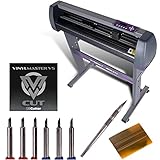
Overview: USCutter’s 28-inch MH series distills the brand’s market-winning formula into a more compact, affordable package. Retaining the critical support infrastructure and software bundle of its larger sibling, this model targets budget-conscious startups and hobbyists who need reliable performance without the 34-inch width premium.
What Makes It Stand Out: The MH series proves that size isn’t everything—it’s the ecosystem that matters. You still get lifetime US phone support and VinylMaster Cut software, rare luxuries in this price tier. The included tool kit (squeegee, blades, weeding tool) provides immediate operational readiness, demonstrating USCutter’s understanding that accessories make or break the beginner experience.
Value for Money: This represents USCutter’s entry-level sweet spot, sacrificing 6 inches of cut width to save significant cost while preserving the full support package. For many users cutting decals, HTV, and standard signs, 24.8" width suffices. The value equation is stellar: professional software ($200 value) plus lifetime support for a modest premium over unsupported imports. It’s an investment in success, not just hardware.
Strengths and Weaknesses: Strengths include unmatched US support, professional software inclusion, reliable ball-bearing feed, and thoughtful tool bundle. Weaknesses are stepper motor accuracy limits, basic build quality, and occasional need for user tweaking out of the box. The narrower width may limit banner production, though it’s sufficient for most applications. Like its bigger brother, it’s the wrapper, not the raw specs, that delivers value.
Bottom Line: The ultimate starter kit for American users prioritizing support over specifications. If you’re launching a small business and want to minimize downtime and frustration, this is your best bet. The 28-inch width handles 95% of common projects, and the included tools mean you can start cutting immediately. For those comfortable with self-support, cheaper options exist—but for everyone else, this pays for itself in prevented headaches.
Understanding the Misalignment Problem
Misalignment isn’t just about a machine being “off”—it’s a complex issue with multiple root causes that can cascade through your entire production process. Before we dive into solutions, we need to understand exactly what’s happening when your designs don’t cut where they’re supposed to.
The Hidden Costs of Design Inaccuracy
Every millimeter of misalignment carries a price tag that extends beyond the ruined material. Consider the labor hours spent recalibrating, the rush shipping costs for replacement stock, and the intangible damage to your reputation when deadlines slip. For commercial operations, these invisible costs can represent 15-20% of your annual material budget. Hobbyists face a different but equally painful cost: the erosion of creative enthusiasm that comes from constant troubleshooting instead of actual making.
Why Traditional Methods Fall Short
Manual cutting, craft knives, and even basic electronic cutters rely heavily on operator skill and visual estimation. Even experienced professionals experience fatigue, and human eyes simply can’t match the sub-millimeter precision required for professional-grade work. Traditional registration methods—like visually lining up corners or using basic guides—fail when materials stretch, shift, or have even microscopic imperfections. This is where modern plotter technology fundamentally changes the game.
How Modern Plotter Cutting Machines Eliminate Frustration
The latest generation of plotter cutters doesn’t just cut better—it thinks smarter. These machines combine mechanical precision with digital intelligence to create a self-correcting ecosystem that adapts to real-world conditions.
Precision Engineering Explained
At the heart of every reliable plotter is a robust mechanical system built to maintain accuracy over thousands of hours of operation. Look for machines featuring steel or reinforced aluminum frames that resist flexing during high-speed operations. The cutting carriage should glide on dual linear bearings rather than simple rollers, ensuring the blade follows the exact path the software dictates without wobble or deviation. Belt-driven systems have improved dramatically, but direct-drive mechanisms on premium models offer superior repeatability for detailed work.
The Role of Optical Alignment Systems
Modern plotter cutters employ camera-based optical sensors that read registration marks printed directly on your material. These aren’t simple light sensors—they’re high-resolution imaging systems that can detect marks through reflective films, on textured surfaces, and even on transparent substrates. The machine scans these marks before cutting, calculates any material distortion or skew, and automatically adjusts the cutting path in real-time. This means even if your vinyl stretched slightly during printing or your cardstock shifted during loading, the cuts will land exactly where intended.
Key Features That Ensure Perfect Alignment Every Time
Not all plotter cutters are created equal when it comes to maintaining accuracy. Certain features separate the dependable workhorses from the temperamental machines that’ll have you constantly troubleshooting.
Registration Mark Sensing Technology
The sophistication of a machine’s registration system directly impacts its alignment reliability. Advanced systems use multiple registration marks positioned around your design, creating a spatial map that accounts for both linear and rotational distortion. Some premium models can read marks as small as 3mm in diameter, while budget machines might struggle with anything under 10mm. The best systems also offer adjustable sensitivity settings, allowing you to optimize detection for matte, glossy, or metallic surfaces that might otherwise confuse the sensor.
Force and Speed Control Mechanisms
Precision cutting requires more than accurate positioning—it demands consistent cutting depth across the entire design. Digital force control allows you to program exact blade pressure down to gram-level increments, ensuring clean cuts through intricate details without over-cutting and damaging your backing material. Variable speed control is equally critical; the machine should automatically slow down for tight curves and small details while maintaining higher speeds for long, straight cuts. This dynamic adjustment prevents blade drag and material shifting that cause misalignment.
Material Handling and Tension Systems
A perfectly calibrated cutter can’t compensate for poor material feeding. Professional-grade machines feature pinch-roller systems that maintain even pressure across the material width, preventing the “hourglass” distortion common in lighter-duty models. Look for adjustable roller positions that accommodate different material widths without creating tension imbalances. Some advanced systems include vacuum beds or electrostatic hold-down mechanisms that keep flexible materials perfectly flat during cutting, eliminating the warping that ruins registration.
Choosing the Right Plotter Cutter for Your Workflow
Selecting a machine that matches your specific needs prevents both under-buying (and the resulting frustration) and over-buying (which strains your budget unnecessarily).
Desktop vs. Industrial-Grade Solutions
Desktop plotters, typically handling materials up to 24 inches wide, offer incredible precision for small businesses and serious hobbyists. Their compact footprint and lower price point make them accessible, but they sacrifice cutting speed and duty cycle. Industrial machines, starting at 48 inches and extending beyond 120 inches, feature servo motors instead of stepper motors, delivering faster acceleration and higher top speeds without sacrificing accuracy. They also include robust cooling systems for continuous operation, making them ideal for production environments where downtime isn’t an option.
Software Integration Capabilities
Your plotter is only as smart as the software driving it. Professional machines support industry-standard file formats (AI, EPS, PDF, SVG) natively, preserving vector data without conversion errors that can introduce alignment drift. Look for machines offering plug-ins for popular design software like Adobe Illustrator or CorelDRAW, allowing you to send jobs directly from your design environment. The best systems include their own RIP (Raster Image Processor) software that manages registration mark generation, nesting for material efficiency, and queue management for multiple jobs.
Material Compatibility: Cutting Beyond Vinyl
While vinyl remains the most common substrate, modern workflows demand versatility. Understanding a machine’s ability to handle diverse materials prevents costly limitations down the road.
Specialized Tools for Different Substrates
True versatility comes from interchangeable tool heads. A quality plotter should support not just standard drag knives, but also tangential knives that lift and rotate for perfect corners on thick materials, electric oscillating blades for foam and gasket materials, and even creasing tools for packaging prototypes. The tool holder’s precision matters enormously—look for systems with minimal play and automatic tool height detection that calibrates cutting depth for each material thickness without manual adjustment.
Calibration: Your Secret Weapon for Consistency
Even the most advanced plotter requires proper calibration to deliver its potential. Treat calibration not as a one-time setup, but as an ongoing quality assurance practice.
Step-by-Step Calibration Best Practices
Start with a clean, flat test material that matches your typical workflow. Print a calibration grid featuring crosses at each corner and center, then run a test cut using the machine’s built-in calibration routine. Measure the offset between printed and cut lines at each point, input these values into the software, and repeat until deviation falls below 0.5mm. Perform this calibration weekly for machines in daily use, and always recalibrate when switching between materials with significantly different thicknesses or surface finishes. Document your settings for each material type to create a reference library that speeds future setup.
Maintenance Strategies for Long-Term Accuracy
Precision machines demand precise care. A disciplined maintenance schedule prevents the gradual degradation that leads to alignment drift and inconsistent cuts.
Daily, Weekly, and Monthly Checklists
Daily: Clean the cutting strip (the sacrificial surface under the blade) with isopropyl alcohol to remove adhesive buildup that can affect blade depth. Inspect the blade tip under magnification for chips or dulling, and replace immediately if damaged. Wipe down registration mark sensors with a lint-free cloth.
Weekly: Check belt tension using a tension meter or by plucking the belt like a guitar string—it should produce a consistent, musical tone. Loose belts cause positioning errors; over-tightened belts stress motors and bearings. Lubricate linear bearings with manufacturer-specified oil, applying just one drop per bearing to avoid attracting dust.
Monthly: Perform a full mechanical inspection, checking for loose screws, worn cables, and debris in the carriage mechanism. Clean the grit rollers with a specialized rubber rejuvenator to maintain grip. Update firmware and software to ensure you have the latest alignment algorithms and bug fixes.
Troubleshooting Common Alignment Issues
When problems arise despite your best efforts, systematic diagnosis saves time and prevents replacing parts that aren’t actually faulty.
When Your Cuts Are Still Off: Diagnostic Approaches
If registration marks aren’t reading, first check lighting conditions—direct sunlight or flickering overhead lights can confuse optical sensors. Test with different mark colors; black on white is standard, but some materials require white marks on dark backgrounds. For intermittent misalignment, examine your file preparation—overly complex vector paths with thousands of nodes can overwhelm the machine’s processor, causing it to skip or delay commands. Simplify curves and eliminate unnecessary anchor points before cutting. If cuts drift progressively across the material, your pinch rollers may be applying uneven pressure or the material may be loaded with a slight skew that compounds over distance.
ROI: Why Precision Pays for Itself
The mathematics of accuracy strongly favor investing in quality. Calculate your true cost per job by factoring in material waste, rework labor, and missed deadlines. A machine that reduces waste from 15% to 2% on a $500 weekly material budget saves $3,380 annually—often covering the price difference between a budget and mid-range plotter in the first year alone. Add the value of client retention from consistent on-time delivery and the ability to take on more complex, higher-margin work, and the return becomes undeniable.
Future-Proofing Your Investment
Technology evolves rapidly, but certain features ensure your plotter remains relevant for years. USB compatibility is being replaced by Ethernet and Wi-Fi connectivity for networked workflows. Machines with expandable tool holders and upgradeable firmware protect your investment as new cutting technologies emerge. Consider models with open-source or well-documented SDKs (Software Development Kits) that allow third-party developers to create new capabilities long after the manufacturer has moved on to newer models.
Frequently Asked Questions
How often should I calibrate my plotter cutting machine for optimal alignment?
For daily commercial use, perform a quick calibration check weekly and a full calibration monthly. Always recalibrate when switching between materials with different thicknesses or when you notice any deviation exceeding 0.5mm. Hobbyists using their machine a few times per week should calibrate at least once per month.
Can optical registration systems work with transparent or reflective materials?
Yes, but with caveats. Premium machines use adjustable-intensity LED sensors and polarization filters to read marks on challenging surfaces. For highly reflective materials like metallic vinyl, use matte-finish registration marks applied with a separate printer. For transparent substrates, some machines can detect marks printed with UV-reactive ink or placed on a contrasting backing sheet.
What’s the difference between stepper motors and servo motors in plotter cutters?
Stepper motors move in fixed increments (steps), making them less expensive but prone to losing position under heavy loads or high speeds. Servo motors use encoders to continuously verify position, providing faster acceleration, higher top speeds, and better torque at low speeds—crucial for maintaining accuracy during intricate cuts. Servo systems also recover automatically if the blade encounters an obstacle.
Why do my cuts align perfectly at the start but drift toward the end of long runs?
This progressive drift typically indicates material feed issues. Check that your pinch rollers are positioned symmetrically and apply even pressure. The material may be loading with a slight angle that compounds over distance. Also inspect your cutting strip for wear—uneven surfaces cause blade deflection that mimics alignment drift. Replace the strip if you feel grooves or see visible damage.
Is wireless connectivity reliable for sending cutting jobs, or should I stick with USB?
Modern Ethernet and Wi-Fi connections are highly reliable for plotter communication, often more so than USB which can drop connections during long cuts. For critical jobs, Ethernet provides the best balance of speed and stability. Wi-Fi works well in clean signal environments but can be affected by interference from other devices. Always keep a USB cable as a backup troubleshooting tool.
How do I know when it’s time to replace my cutting blade versus just cleaning it?
Clean your blade with adhesive remover when you notice minor skipping or incomplete cuts. Replace the blade immediately if you see any of these signs: visible chips or bending under magnification, consistently poor cuts even after cleaning and recalibration, or a grinding sensation when cutting that indicates a damaged tip. As a rule, rotate blades every 40-60 hours of cutting time for standard vinyl, more frequently for abrasive materials.
Can I cut multiple layers of material simultaneously to speed up production?
Generally, no. Cutting multiple layers introduces variables that destroy alignment accuracy—different tension between layers, varying blade penetration, and material shifting. The exception is specialized machines with vacuum hold-down and pressure-sensitive blades designed for kiss-cutting stacked materials. For most users, the time saved is negated by increased waste from misaligned cuts.
What file preparation mistakes cause the most alignment problems?
The biggest culprits are: 1) Low-resolution raster images converted to vectors create jagged paths that confuse the cutter, 2) Excessive nodes in complex curves slow processing and cause stuttering, 3) Missing bleed areas around registration marks cause the sensor to pick up design elements instead of marks, and 4) Scaling artwork after placing registration marks changes their relative position. Always finalize your design size before generating marks.
Do I need a dedicated computer to run my plotter cutter?
Not necessarily, but dedicated systems reduce variables. If you’re running a production environment, a dedicated computer prevents conflicts from antivirus scans, software updates, or other applications interrupting cuts. For hobbyists, modern plotters with onboard memory can store jobs and run independently once the file is transferred. Just ensure your design computer meets the software’s minimum specs and close unnecessary programs during cutting.
How does ambient temperature and humidity affect cutting alignment?
Extreme conditions cause material expansion, contraction, and static buildup that lead to misalignment. Vinyl can shrink up to 1mm per meter in cold conditions, while humidity makes paper and cardstock swell. Maintain your workspace between 65-75°F (18-24°C) with 40-60% relative humidity. Allow materials to acclimate to room temperature for 24 hours before cutting, and consider anti-static measures like ionizing fans when working in dry environments.